


phil4
-
Posts
389 -
Joined
-
Last visited
Content Type
Profiles
Articles
Forums
Events
Store
Classifieds
Everything posted by phil4
-
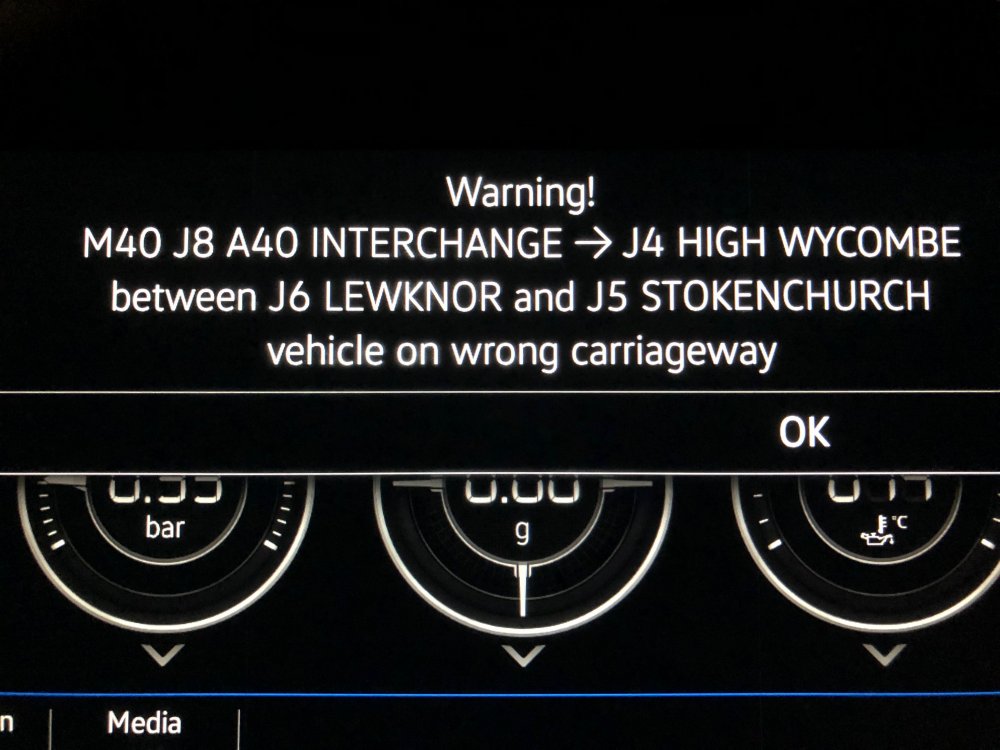
I was driving home on Friday night, listening to some music, when all of a sudden the car says there's an important traffic announcement (or words to that effect), and displays the attached message on both screens. I didn't have navigation, no route set, I'd not even started it and had map view or anything. Likewise not TA on the radio. It looks like someone has an emergency broadcast feature, which if the case is very useful if used for things like shown.
-
thanks, and yes, looks like glass cracks as you say, but perfectly straight, and not actually in the glass. I'll get them to take a look under warranty when next it. Mine's a Dec 2017. Thanks for confirming, and the link too!
-
I'm in a 7.5 with the Pro satnav (the one without the two dials either side). I've had the car almost exactly a year, and with the recent Apple Carplay change so I can use Waze, I've noticed something I'd not previously noticed. Two thin black lines running bottom to top about 1/3/rd and 2/3rd across. They're very fine, and without a light background (eg. I used to have the performance dials up, and never noticed it) it's hard to spot. Anyone else have this? Or is it something I need to sort under warranty?
-

Apple IOS 12 update for carplay - winning!
phil4 replied to Restate2018's topic in VW Golf R MK7 Chat
Ok, here's what I did, what worked and what I have: Open car, key in ignition. Set dash display to Nav and waited for map to display ("starting nav" message etc). Once that was up, plugged phone into USB, starting carplay on the main display, which then decided to start Waze. I didn't set a route on waze, and had Waze on main display and Nav on dash display for the whole trip home, meanwhile audible playing a book. So what do I have: Phone is an iPhone X running ios 12... not 12.0.1. Car is a 7.5, with the upgrade (no dials) stereo, so in the normal course of events, I can run vw nav on both displays. So I think the covers, what I have, what I did, and how it worked. If yours doesn't, as suggested try a phone restart, and try in that order. May be as simple as the upgraded stereo is needed. Not sure. -
Apple IOS 12 update for carplay - winning!
phil4 replied to Restate2018's topic in VW Golf R MK7 Chat
Perhaps make sure you've closed Waze, as should show the map ok. -
I never found the VW Nav that bad, and when it's got a net connection via dongle it seems good enough. The UI seems straight forward, and searching for POI online good too (much like elixtt says you just search for the location rather than the address). If I had to compare, the Nav in my other halves Abarth has an expectedly italian style UI, so finding and setting a destination is fun. And the last landrover I saw was pretty poor too. Nav kept thinking the car had driven off into the ocean. Is it the best. no. Since IOS12 allowed it, I've used Waze/Google Maps via carplay mainly due to the simpler interface, totally up to date maps (no quarterly updates), and waze's traffic stuff. Would I be lost/upset if I had to go back to the VW nav? Nope, it seems perfectly good, and great as an always there, always plugged in setup. Just my opinion mind.
-
Yeah, happens all the time to me if I've been going slowly eg. following someone, then push and kick down. I think it's where the car is switching between two gears on the same clutch, so takes a second or so, rather than the usual DSG switch. There's some "how to drive a DSG" advice here:
-
As others have said, you have to change your driving to get any benefit, and in reality Eco mode is only helping you make bigger savings when you to that. It most definitely is not a push the button and improve MPG experience. The two biggest areas you'll save is by letting off the gas early at junctions and roundabouts and letting the car roll to a stop, in ECO it'll disengage the drive train and you'll go a lot further. This also applies to carrying speed. It wastes a lot of energy/fuel stopping and then starting, so if you can roll through junctions and roundabouts then you can save a lot of fuel. Finally, accelerating gently and not going to high speeds help too. Doing the two above require a heck of a lot of anticipation, and a change in judgement on how and when you'll slow when rolling. As such if you use ACC in such situations you'll get much less benefit. Look into Hypermiling for other ways you can achieve higher MPG, but it does require a huge change in driving and a lot of planning and concentration while driving. Be aware that some of the ideas apply more to electric/hybrid cars. All the above though is terminally boring and most definitely not what you should be doing in an R unless you're on the last vapours of fuel and need to get to a petrol station. If better mpg is important to you, a different car is a much better bet.
-
I think you can setup that as a separate warning... can't remember if it's the Golf, or the wife's car, or car play... but I've seen it somewhere recently.
-
Yes, this... if you don't/won't/can't get an IOS 12 device, then unfortunately Waze and Google Maps won't work on Carplay. I've not had an issues with IOS12, but each to their own.
-
Waze does this too, but due to a bug (which they've acknowledged) the speed limit is top right, hidden behind the black direction box. It can bong when you exceed the speed limit, there's a setting in the app (when using it on the phone) to turn it on etc.
-
That could well be the difference. As I do this route every day and have done for the past 10 years, wasn't exactly needing the route As far as I know, yes. Can't see why it would allow offline maps, go through all that and then not use them in carplay mode, when it does in normal. Not tested mind!
-
I've had this problem since day 1. On the plus side I rarely call anyone/receive calls, but the few times I have, it's not gone well.
-
What you can do, oddly is run google maps on one screen, and car nav on the other. It did try to stop me doing this... but for some reason worked again on the way home last night. I agree with your other points btw, was more just to let people know it's an option should they want it.
-
Me either, but then each time it was serviced, I'd hazard a guess that the mileage was fed back to VW.
-
Are you sure you're not in the beta program? App Store says Waze not updated in the past 2 weeks, and not listed as carplay compatible... but I do know they've released a beta or two that work in Carplay.
-
Yes. Once done, and google maps update done, it works. And very nice it looks too.
-
problem is KW and PS (not bhp) are both metric... so that wouldn't likely be it. I think what the OP asks isn't possible just using the display itself. I've no idea whether it can be done any other way, so not much help here. Sorry.
-
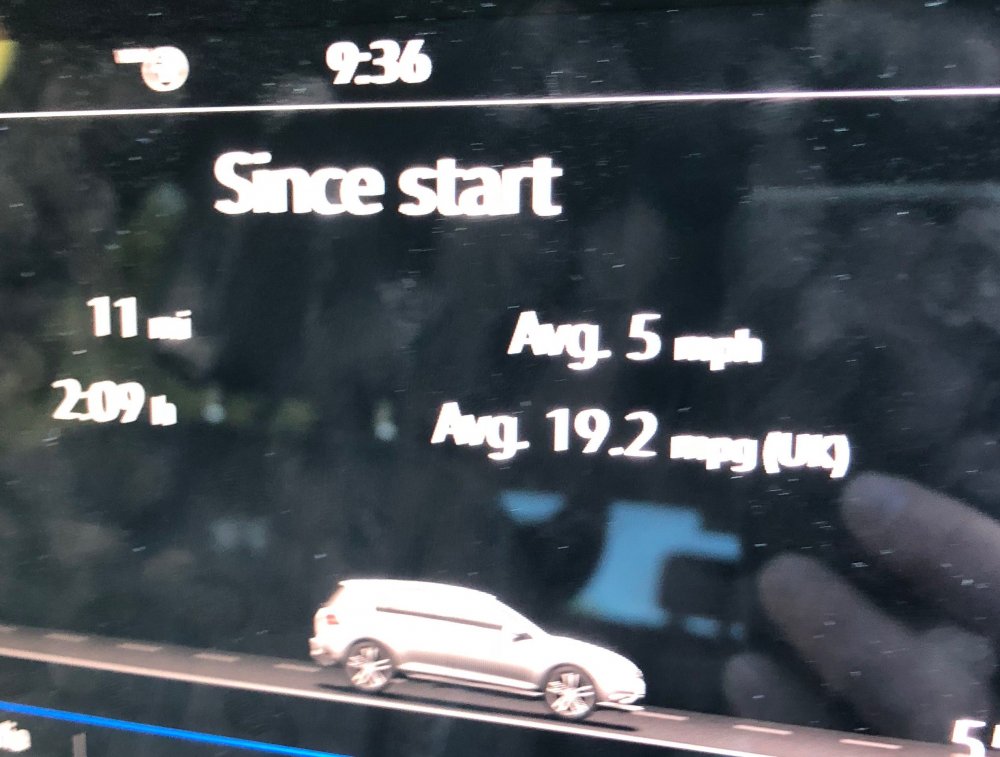
50mph... but that's much much better than earlier in the week:
-
Dunno, don't have any android stuff. That said this is the built in Nav, not using my phone. Personally prefer it since nav goes in the centre dial display for me. It might not be as good as Waze et al, but at least it's where I want it.
-
I've been away on hols for a couple of weeks, and found Online POI to be a brilliant addition. I don't know if this applies to only 7.5 or whether it works on previous version also. If you've not seen them, first you'll need a way to get your Nav online, and connect it as such. If you've not done this, either hotspot from your phone or a spefici dongle. Once done, and sure it's connected (give it chance to connect), go to Nav, Set a destination, but rather than tap in city etc, go for the Magnifying glass at the top, pop in what you're after an "powered by Google", it'll search for it. Most of the time it was genuinely useful and saved all the messing around looking for postcodes, we popped in Beaches, Supermarkets, tourist attractions and it made getting to them a doddle. It also saved a problem, as we had a postcode for one place, but turned out it wasn't there... but somewhere else, enter the search as above, and we were straight there. I realise it's not something you'll use daily, unless you happen to be a traveling salesrep, repair tech of similar, but for the times when it is useful, it really really is.
-
It sounds to me less like the filter is being added because it has to. This sounds more like making up for Dieselgate, or because without they'd be in a higher band for tax etc, which they don't want. This article says they're doing it across all models, which is why I'm thinking the above: https://www.autocar.co.uk/car-news/industry/volkswagen-equips-petrol-cars-particulate-filter-technology
-
The problem with snow in the UK is more that it's not a given. The most recent has been the most snowy I can remember for a good few years. As such unless that changes, I'm unlikely to bother with buying and keeping a set of tires for a couple of days use each year. I'd rather just work from home or take a different car.
-
DSG behaviour when flicking paddle to go from S to M
phil4 replied to Modena's topic in VW Golf R MK7 Chat
It'll change up by itself (regardless of M,S or D) if it either gets to the redline, or revs drop too low (to prevent a stall). Perhaps what you see occasionally is it doing just that, you pop it into Manual with a click just as it hits the redline and changes up itself. Other times when not about to hit the redline you do it and it doesn't change up as revs not high enough. Or I may be completely wrong. -
It was pro nav, yes... so could well have been that.


